How to Register for Online Clearance
Register an Account for Online Q.A.U Student Clearance:
Step 1
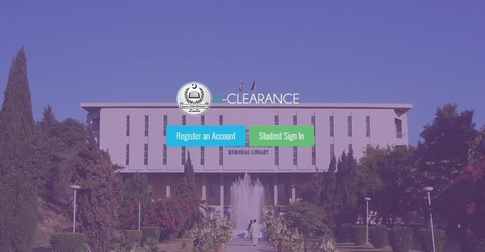
Whenever student needs to register for clearance, his/her Registration Number and CNIC will be matched with our record. Only those students can register whose result was notified by the examination in CMS. In case of cutoff degree or admission cancellation, students need to visit their department to manually add their record through department in order to proceed for account registration.
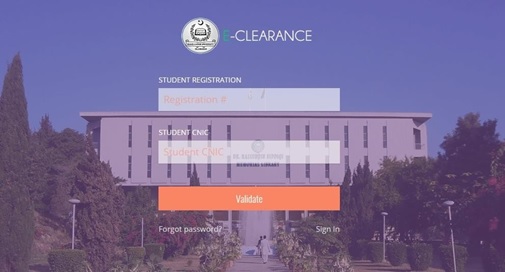
- Enter Registration Number
- Enter CNIC Number
- Click on Validate
- Note: *Only one account is allowed on one Registration Number
Step 2
- If Registration and CNIC Number both are validated by the system, following screen will appear for further processing
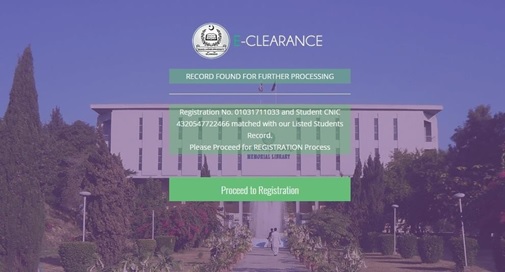
- Click on Proceed to Registration
- If Registration or CNIC Number not validated by the system, following screen will appear and student needs to visit his/her Department for CNIC Number Correction.
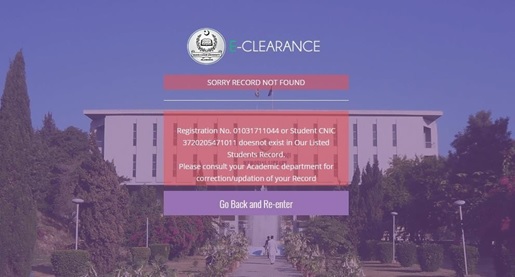
- Click on back and Re-enter as Registration or CNIC Number may be wrong.
Step 3
Upon successful validation from previous step 3, some of the student details will be displayed to the student for cross verification i.e. Student Name, Father Name, Department, Program, Term and clearance for completion/cutoff degree/cease/admission cancellation.
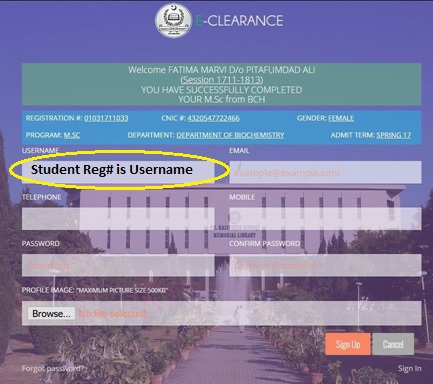
- Student Registration Number is Username (Read only - Applicant Cannot change it).
- Enter valid email address. This email address will be used for account activation as well as notification on clearing from department and concerned sections of the University.
- Password and username cannot be same.
- Upload valid image (in JPG/JPEG/PNG/GIF format) not more than 500KB size and Dimensions 200 X 200.
- Click on Sign Up
Note: *All fields are mandatory.
Step 4
On successful Sign Up, system will generate and account activation email to the email address provided in previous step and registration success message will be displayed to the student as under
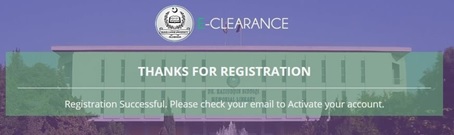
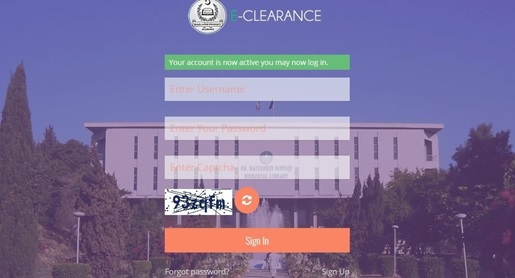
Student needs to open his/her email and click on Activate your account. System will display Account activation message on Student Login Page.